

What this is for
Settings → Traffic is where you set org-wide guardrails on the volume of requests and the caching behavior every gateway in your org enforces. Use it to cap traffic during a noisy launch, or to turn on response caching to absorb bursty workloads at lower latency and cost. The page has two tabs: Rate Limits and Cache.Rate Limits
Card is titled Global Rate Limits with help text “Org-wide limits applied across all gateways. Window is fixed at 1 minute.”Options
Per-key, per-user, per-team, and custom-window limits are not yet supported by the backend. Configure those at the API key level once available.
How to configure rate limits
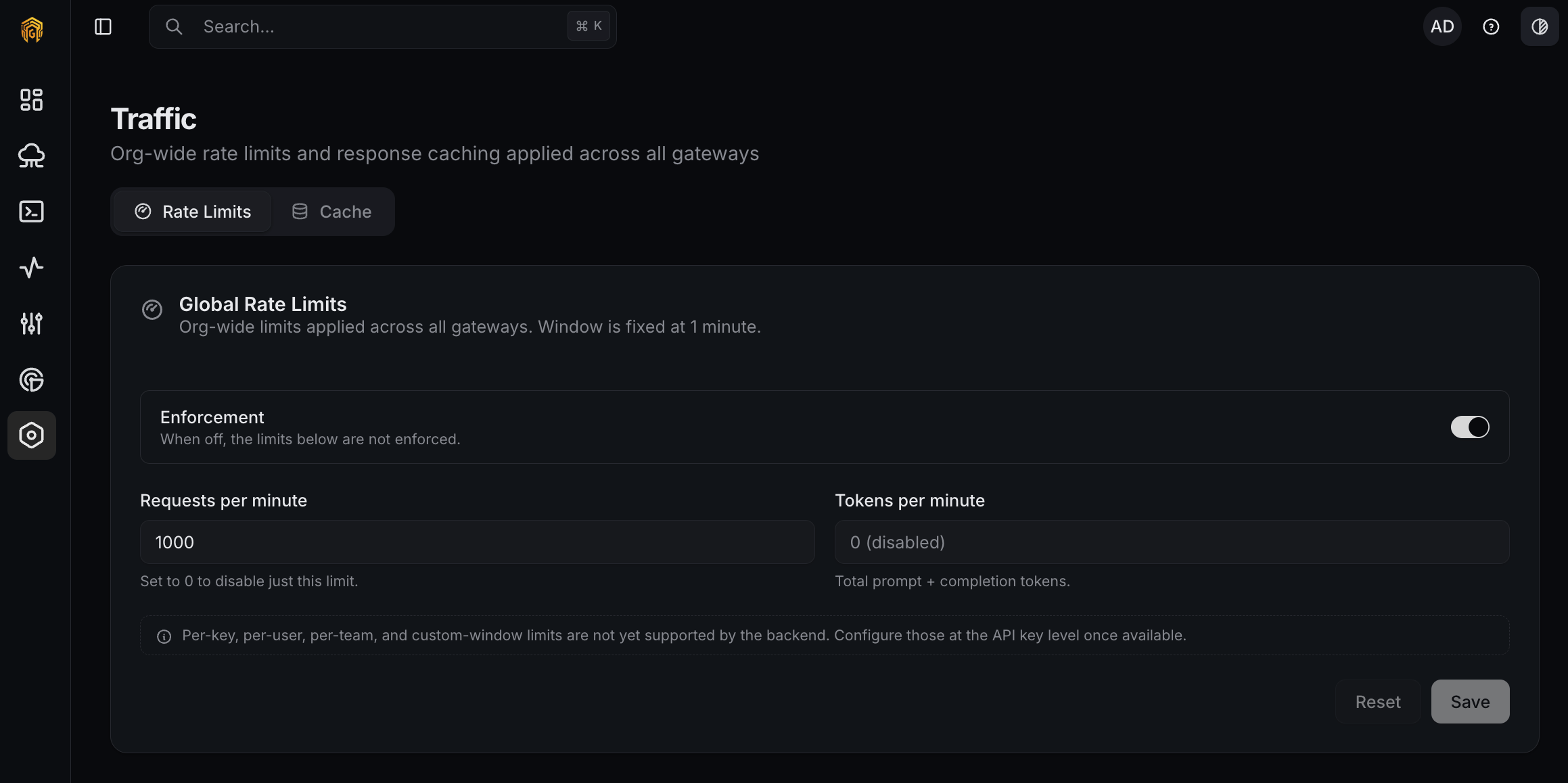
Traffic → Rate Limits
1
Open Settings → Traffic
Open Settings → Traffic from the dashboard sidebar. The Rate Limits tab is active by default.
2
Toggle enforcement
Turn Enforcement on. The numeric inputs below take effect on the next request.
3
Set the per-minute caps
Enter values for Requests per minute and Tokens per minute and click Save. Use
0 in either field to disable that specific limit while keeping the other one active.4
Confirm enforcement
On a gateway, send traffic that crosses the threshold and confirm
request.rate_limited events appear on Logs. Optionally subscribe to request.rate_limited on Notifications.Cache
Card is titled Cache with help text “Org-wide cache configuration. Applies to every gateway in this org.”Options
Strategy (exact / semantic / hybrid) and similarity-threshold tuning are not yet supported by the backend.
How to configure the cache
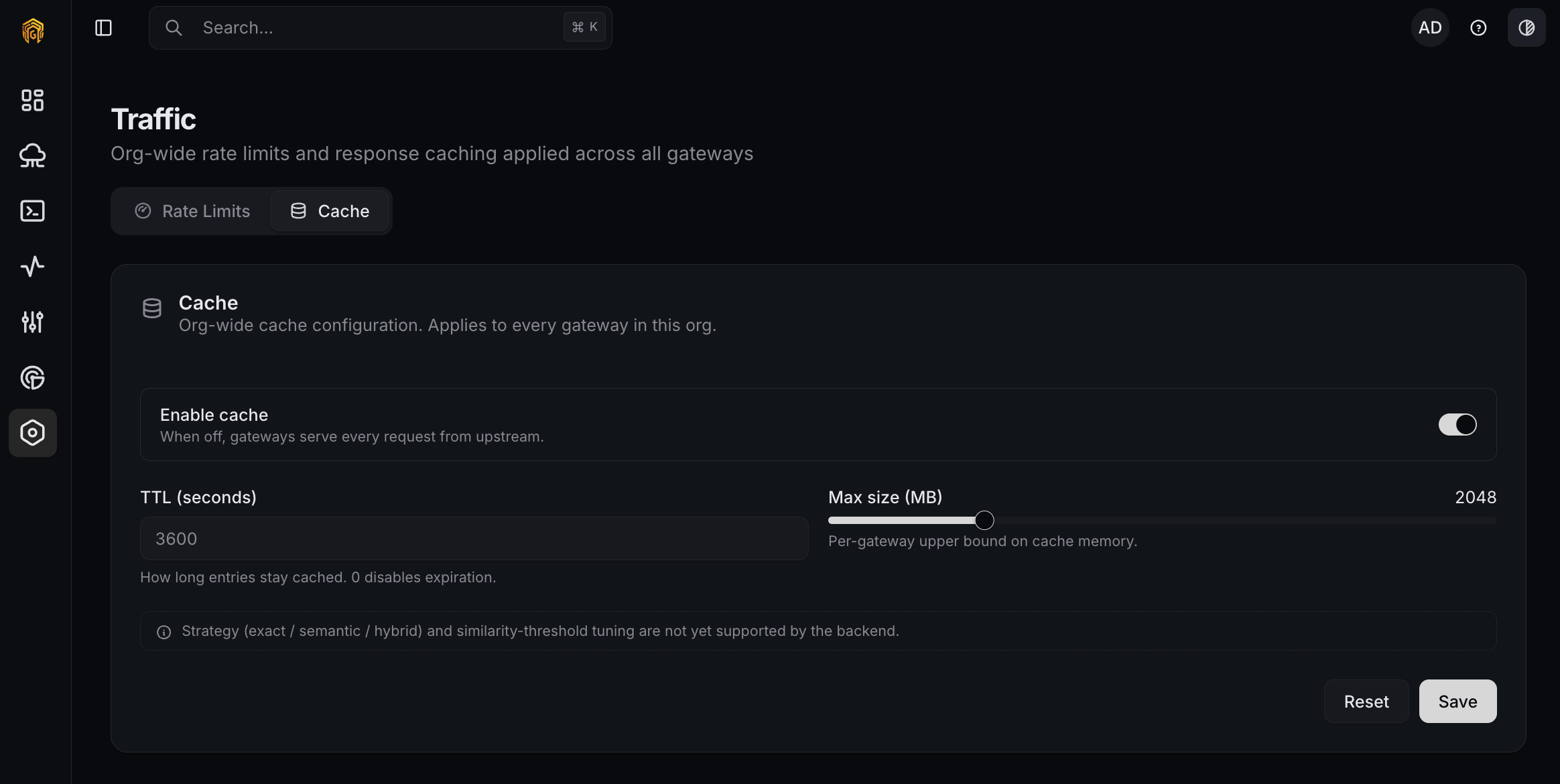
Traffic → Cache
1
Switch to the Cache tab
On Settings → Traffic, click the Cache tab.
2
Enable the cache
Turn Enable cache on.
3
Pick a TTL and max size
Set TTL (seconds) (start with
3600 for one hour) and slide Max size (MB) to a value the gateway host can spare. Click Save.4
Verify hits
Replay a request that should hit the cache and confirm latency drops. Cached responses are flagged in Logs.
Permissions
Owner and Admin can change rate limits and cache. Read Only users see the page but cannot save.Related
- Logs — confirm rate-limit blocks and cache hits.
- Notifications — fire on
request.rate_limited. - API Keys — per-key request and token caps.