

What this is for
API keys authenticate your applications when they call the gateway. Each key carries its own permissions, rate limits, optional budget, and an optional MCP scope. Keys are managed in Configuration → API Keys and are pushed to the connected gateway after creation. The page has two tabs: Human, the keys your team creates by hand — everything below describes these — and System-managed, the keys Guardway created for machines running the agent. See System-managed keys. Use one key per application or environment so you can rotate, scope, and revoke them independently. The dashboard tracks status (active, inactive, expired, revoked), last-used time, request counts, and rate-limit usage for each key.
Options
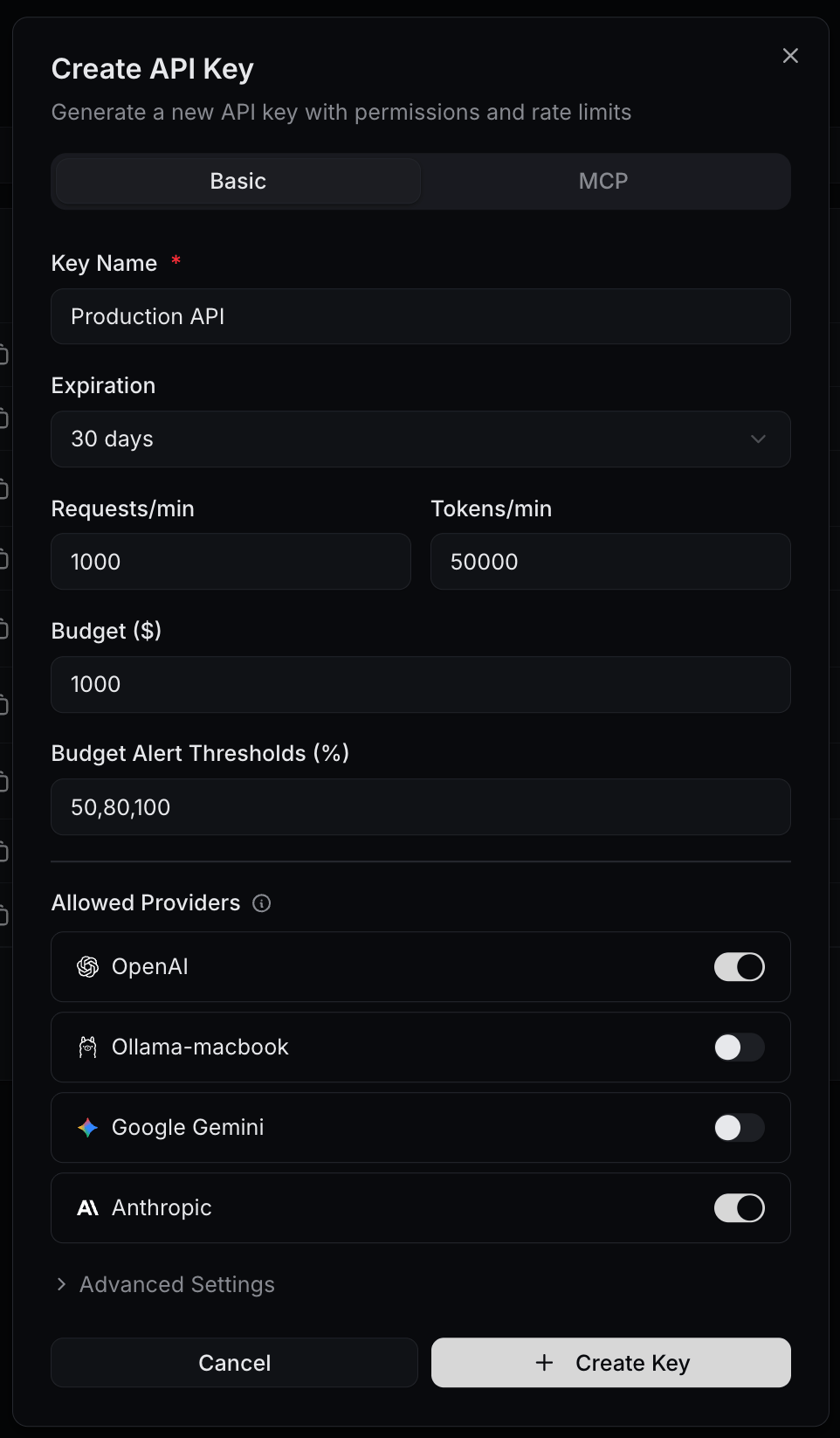
The Create API Key dialog has two tabs: Basic for the key itself and MCP for MCP server scoping.Basic tab
MCP tab
Scope the key to specific MCP servers and tools. Leave empty to allow access to every MCP server attached to the gateway. Add server names (e.g.filesystem, github) and tool identifiers (e.g. Filesystem/read_text_file) to restrict.
How to configure
Configuration → API Keys
1
Open Configuration → API Keys
Open Configuration → API Keys from the dashboard sidebar and click Create API Key.
2
Fill the Basic tab
Set a Key Name, choose an Expiration, set Requests/min and Tokens/min, and optionally a Budget with Alert Thresholds. Toggle Allowed Providers off for any provider this key should not reach.
3
(Optional) Restrict scope further
Expand Advanced Settings to set Allowed Models, IP Allowlist, and Metadata. Use the MCP tab to scope MCP servers and tools.
4
Create and copy the secret
Click Create. The full secret is shown once. Copy it into your secrets manager immediately.
5
Verify it pushed to the gateway
The new key appears in the list with status Active. Run a test call from Playground with this key to confirm it reached the connected gateway.
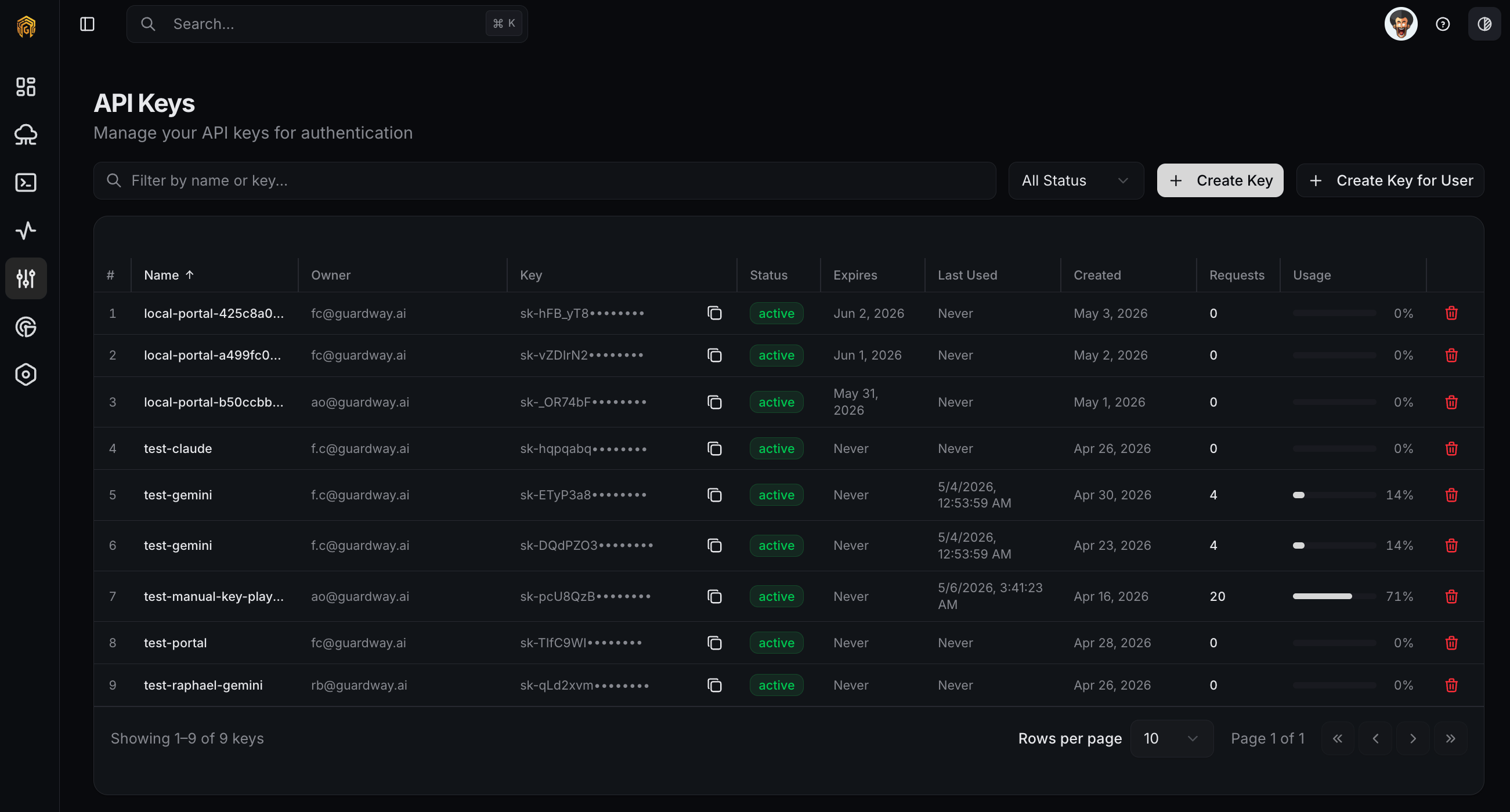
API keys list
Status, rotate, revoke
- Active / Inactive — toggle a key on or off without rotating its secret.
- Rotate issues a new secret. The old secret stops working immediately, so plan a deploy window for any client that uses it.
- Revoke disables the key permanently and clears its in-flight quota.
System-managed keys
The System-managed tab lists the keys Guardway created for endpoint machines — one per machine, created automatically at the machine’s first check-in — grouped by the Access Profile each one follows. Keys created before profiles existed, or whose machine has not checked in since a profile was assigned, appear under Unprofiled. These keys are view and revoke only. There is no edit form for them on purpose: each machine re-applies its profile every time it checks in, so a hand-edit would silently revert at that machine’s next policy refresh. To change what a machine’s key may do — which models, what rate, what budget, when it expires — change its Access Profile instead. Revoking a system-managed key takes effect immediately. An active machine then creates a fresh key at its next check-in: same profile, new secret. See Revocation and re-mint.Related
- Providers — connect the upstream LLM providers a key can call.
- Access Profiles — the limits every endpoint machine’s key inherits, set once per policy.
- Models — control which provider models are enabled.
- Security — guardrail and MCP policies enforced for every key.
- Notifications — subscribe to
quota.thresholdandquota.exceededevents.