Documentation Index
Fetch the complete documentation index at: https://docs.guardway.ai/llms.txt
Use this file to discover all available pages before exploring further.
What this is for
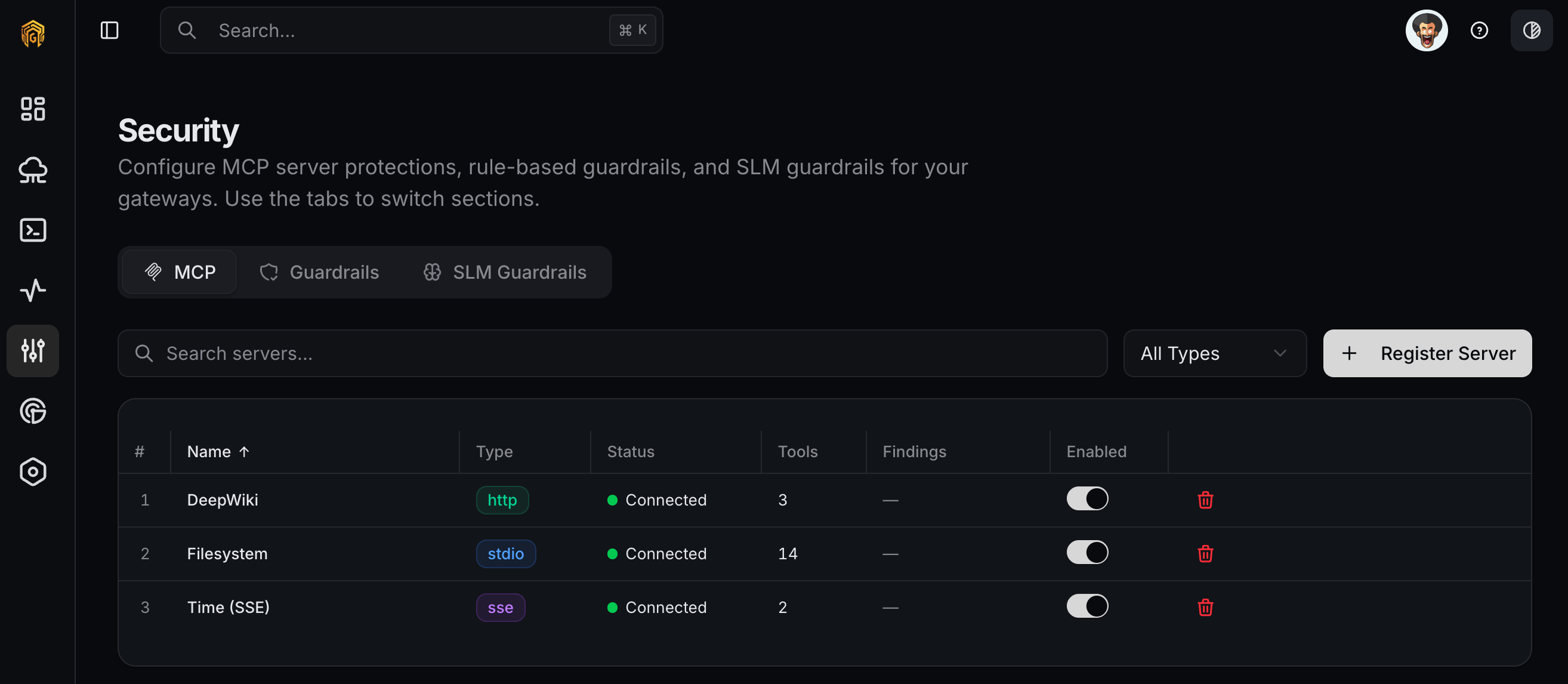
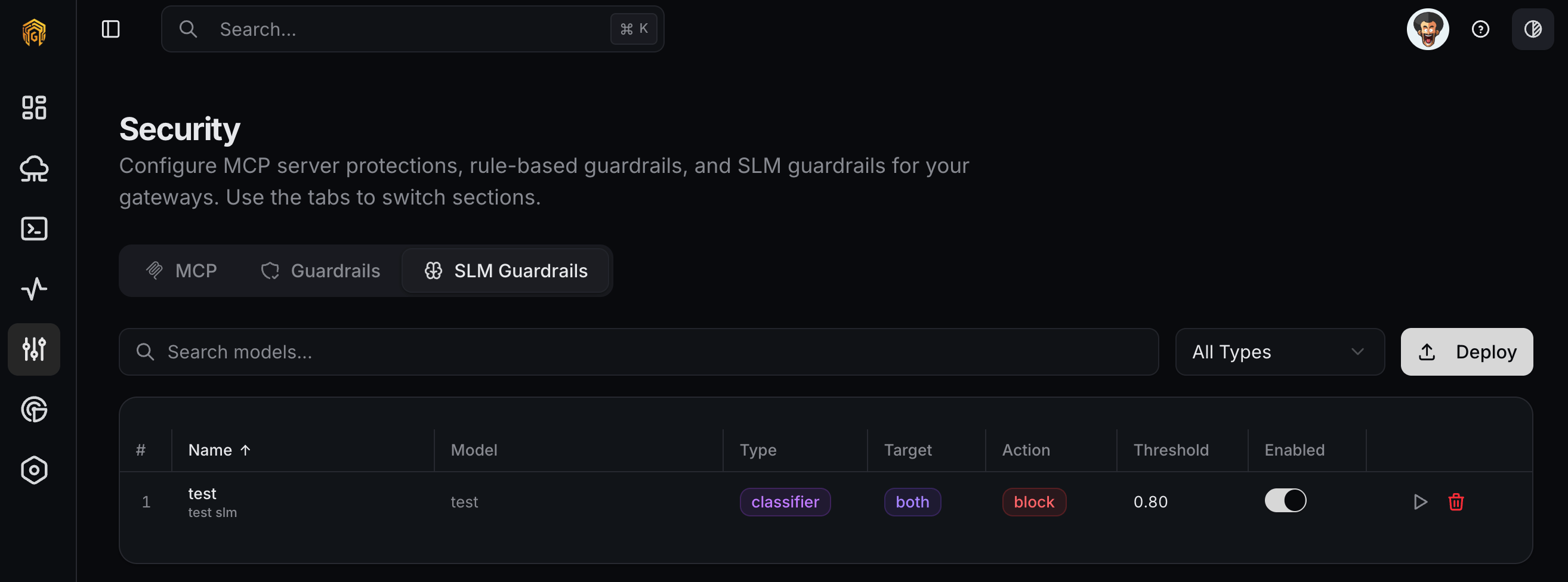
Configuration → Security is where you control what the gateway is allowed to do beyond plain LLM inference: which MCP servers it exposes to clients, which content/intent rules it enforces on every request, and which on-gateway SLM (small language model) classifiers run as additional guards. The page has three tabs: MCP, Guardrails, and SLM Guardrails.MCP
Register the Model Context Protocol servers your gateway should make available to clients. Once registered, MCP servers are scoped per API key on the API Keys MCP tab.
Options
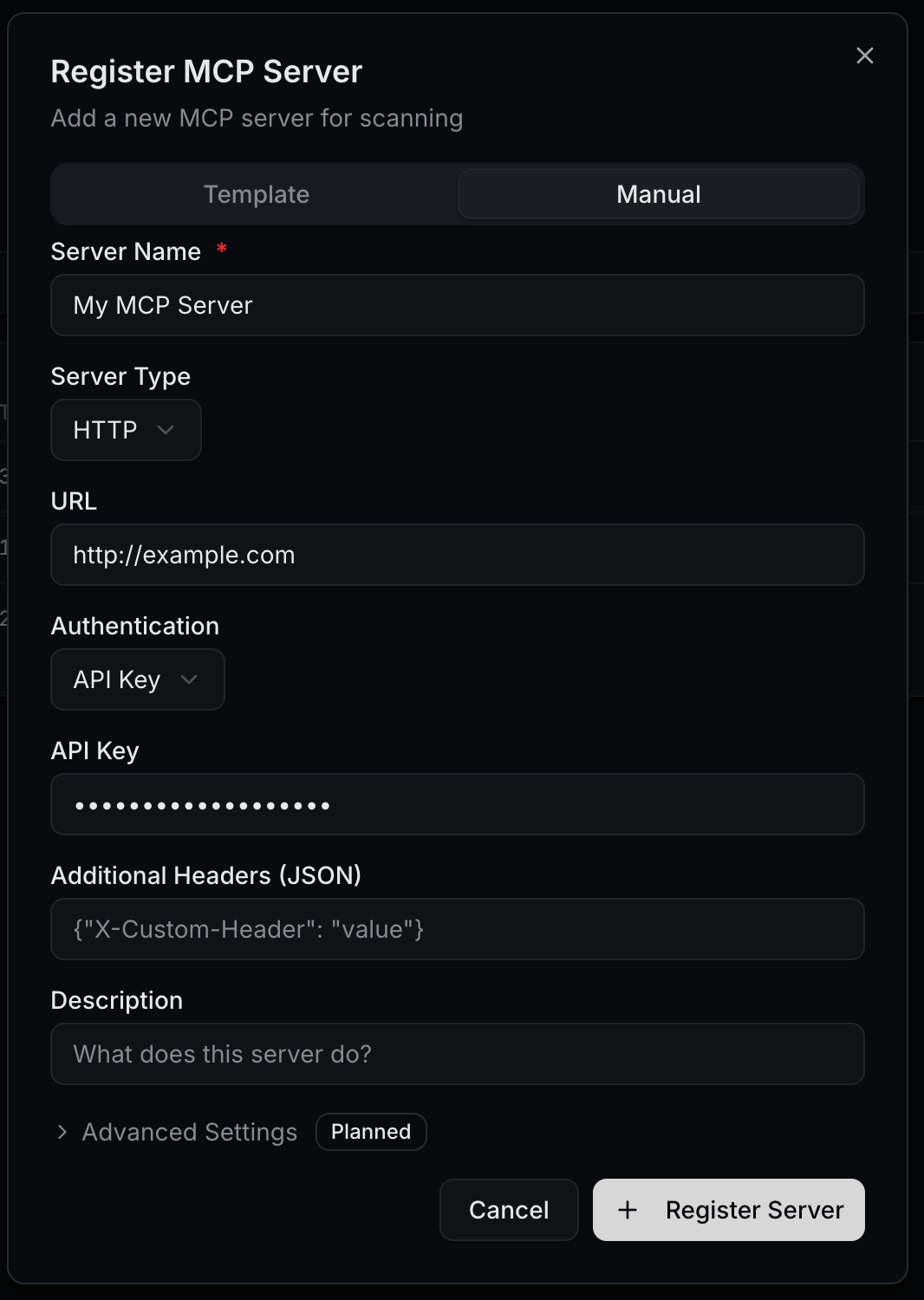
The Register MCP Server dialog has two tabs: Template for ready-made configurations and Manual for free-form setup.| Field | Notes |
|---|---|
| Server Name | Display name (e.g. My MCP Server). |
| Server Type | STDIO, HTTP, or SSE. |
| Command | STDIO only (e.g. npx). |
| Arguments | STDIO only, comma-separated (e.g. -y, @modelcontextprotocol/server-filesystem, /tmp). |
| URL | HTTP/SSE only — the server endpoint. |
| Authentication | None, API Key, Bearer Token, Basic Auth, or OAuth2. Reveals secret/credential fields based on the choice. |
| Additional Headers | Optional JSON for advanced HTTP/SSE setups. |
How to configure
Register a server
Click Register MCP Server. Pick a Template to autofill a known integration (filesystem, github, etc.) or switch to Manual.

Pick the transport
Choose STDIO for processes the gateway spawns, or HTTP / SSE for remote MCP servers. Fill the matching fields.
Set authentication
Select an auth scheme and provide the secret. Use None only for local STDIO servers on the gateway host.
Save and scope to keys
The server appears in the list with status
connected once the gateway can reach it. Open API Keys, edit a key, and use the MCP tab to scope the key to specific servers and tools.Guardrails
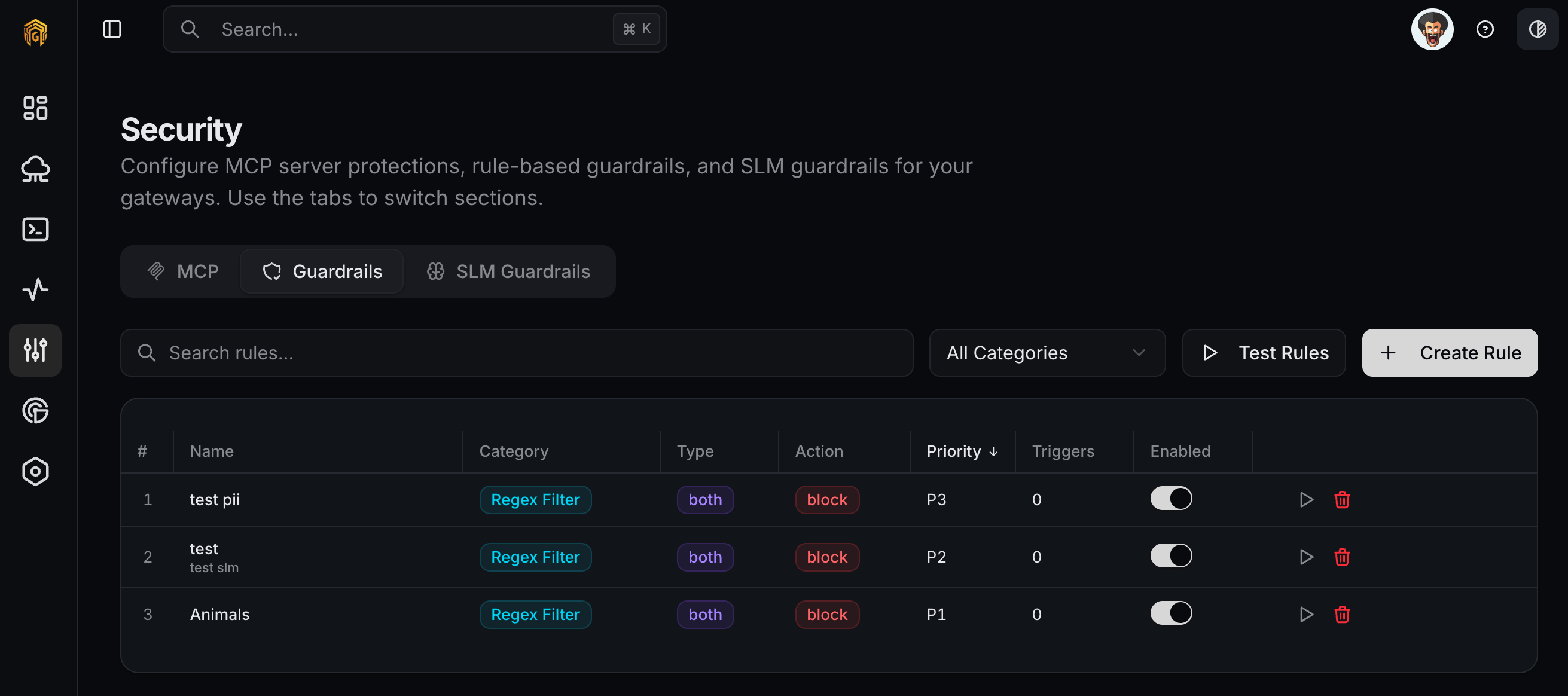
Rule-based content controls applied to every request that flows through the gateway. Use these to redact PII, block prompt injection patterns, enforce keyword filters, or just log policy hits.
Options
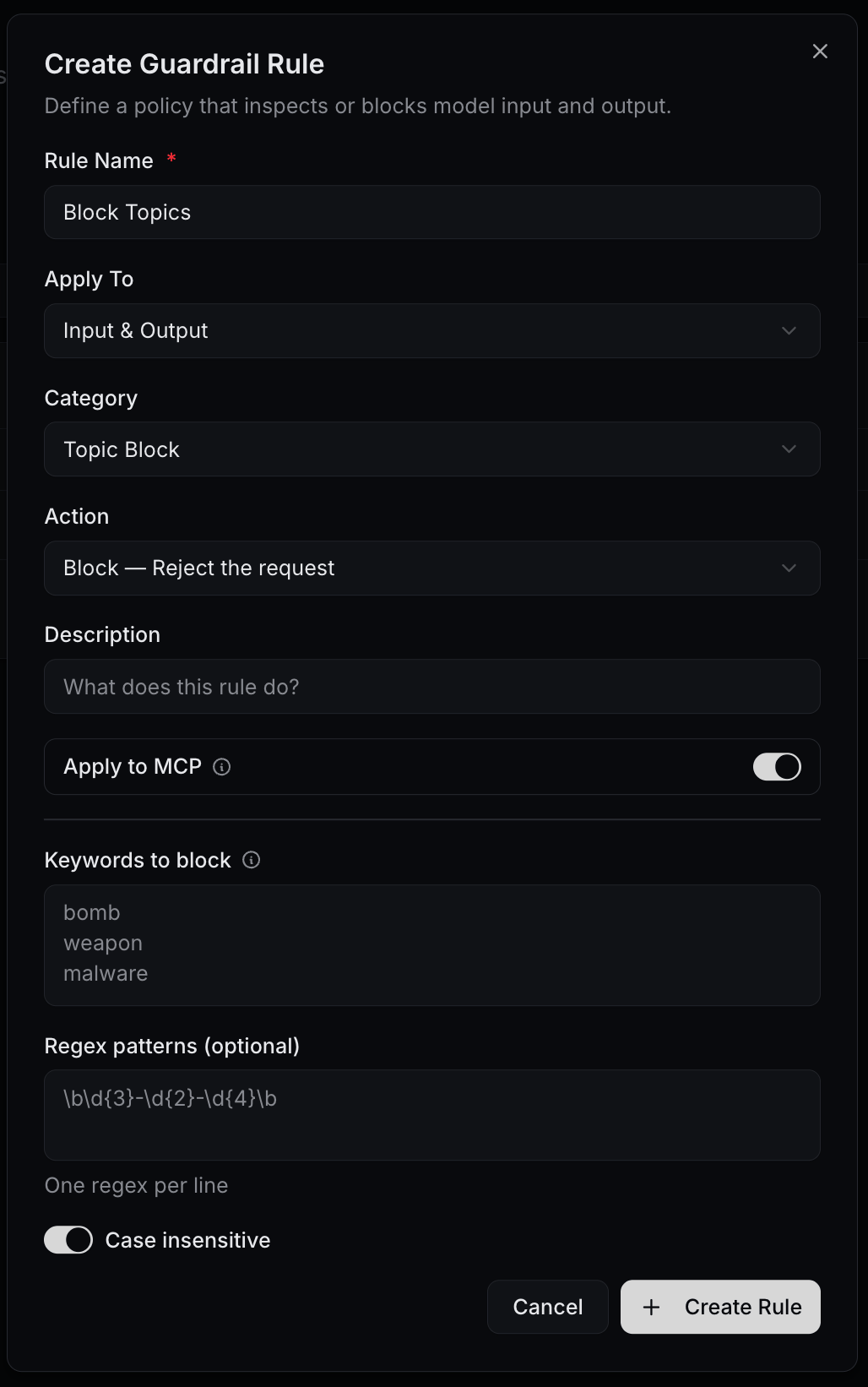
Create Guardrail Rule dialog:| Field | Notes |
|---|---|
| Rule Name | e.g. PII Redaction. |
| Apply To | Input Only, Output Only, or Input & Output. |
| Category | Content Filter, PII Detection, Prompt Injection, Topic Block, Regex Filter, Token Limit, Cost Limit, Custom. |
| Action | Block — reject the request, Warn — Allow but flag, Redact — replace matched content, Log — Record only. |
| Description | Free-form notes. |
| Apply to MCP | Toggle. When on, the rule also runs against MCP traffic on this gateway. |
| Keywords to block | One per line — for keyword-style categories. |
| Regex patterns (optional) | One per line — e.g. \b\d{3}-\d{2}-\d{4}\b. |
| Ignore case | Toggle for keyword/regex matches. |
How to configure
Open the Guardrails tab
Open Configuration → Security from the dashboard sidebar and click the Guardrails tab.
Create a rule
Click Create Guardrail Rule. Set Rule Name, pick Apply To, Category, and Action. Add Keywords and/or Regex patterns for keyword-style categories.

Test before enabling
Use the Test action on the rule row, paste representative sample text, and confirm the rule matches what you expect.
Toggle Enabled
Flip Enabled to turn the rule on. Trigger a matching request from Playground and verify the action in Logs.
SLM Guardrails
On-gateway small language models that classify, score, detect, or rewrite content. Use these when keyword/regex rules aren’t expressive enough — toxicity classifiers, jailbreak detectors, intent scorers.
Options
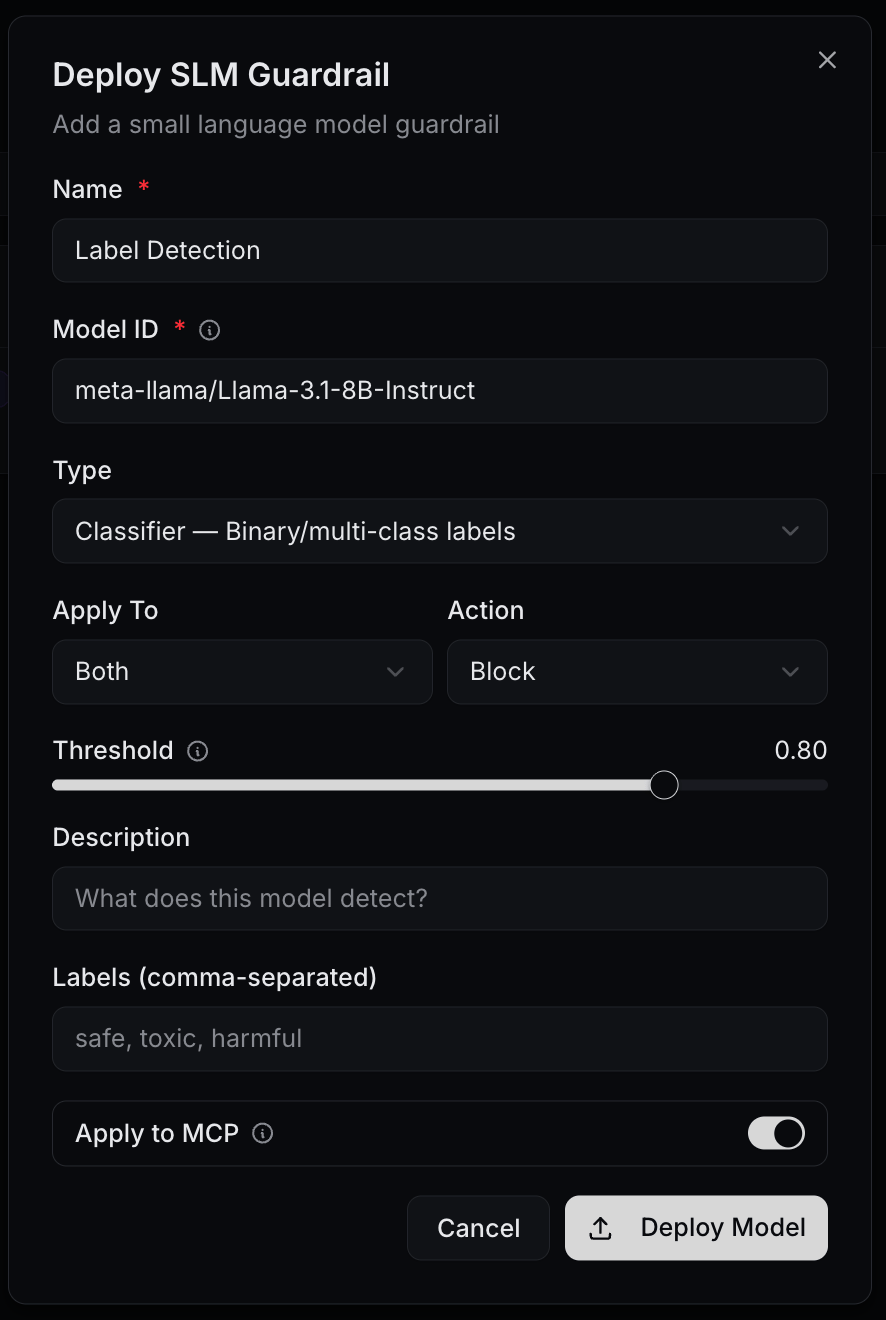
Deploy SLM Guardrail dialog:| Field | Notes |
|---|---|
| Name | e.g. Toxicity Classifier. |
| Model | Pick a curated model or enter a model ref (e.g. guardway/model-name-v1). |
| Type | classifier, scorer, detector, or rewriter. |
| Apply To | Input Only, Output Only, or Input & Output. |
| Action | block, warn, rewrite, or log. |
| Threshold | Decision threshold (slider). |
| Description | What this model detects. |
| Labels | Comma-separated — e.g. safe, toxic, harmful. |
| Apply to MCP | Toggle. |
How to configure
Open the SLM Guardrails tab
Open Configuration → Security from the dashboard sidebar and click the SLM Guardrails tab.
Deploy a model
Click Deploy SLM Guardrail, pick a Model and Type, set Apply To, Action, and Threshold.

Start in log mode
Set Action to
log first. Run real traffic for a window, watch Accuracy and Evaluations on the row.Promote to enforcement
Once you trust the model, change Action to
warn, block, or rewrite. Verify in Logs.Related
- API Keys — scope MCP servers and tools per key.
- Logs — every guardrail trigger is logged with the rule that matched.
- Notifications — subscribe to
guardrail.violationevents.