Documentation Index

Fetch the complete documentation index at: https://docs.guardway.ai/llms.txt

Use this file to discover all available pages before exploring further.

What this is for

The gateway picks a target provider for each incoming request using routing rules. Each rule has match conditions, a target, an optional fallback, and a routing strategy that decides what “best” means when more than one provider could serve the request. Manage rules from Configuration → Routing. Rules are evaluated by priority; the first matching rule wins.

Options

Strategies

StrategyBehavior
PriorityFirst available wins. Default.
Lowest LatencyRoutes to the provider with the lowest historical p50.
Lowest CostRoutes to the cheapest provider for the requested model.
Least BusyRoutes to the provider with the fewest in-flight requests.

Match Conditions

Each condition is a field + operator + value triple. Multiple conditions on a rule are AND-ed.
FieldOperatorsNotes
Endpointequals, contains, starts with, regexMatches the request path.
Headerequals, contains, starts with, regexMatches a specific request header.
Modelequals, contains, starts with, regexMatches the model id requested by the client.
API Keyequals, contains, starts with, regexMatches the API key id (not the secret).
Source IPequals, contains, starts with, regexMatches the client IP.

Target and Fallback

  • Target — pick a provider, then a specific model from that provider’s enabled inventory or a free-text model name.
  • Fallback (optional) — same shape as Target. Used when the primary target fails or is unavailable.

Other rule fields

  • Rule Name — display label (e.g. Production Chat).
  • Priority — lower number runs first.
  • Enabled — toggle a rule off without deleting it.

How to configure

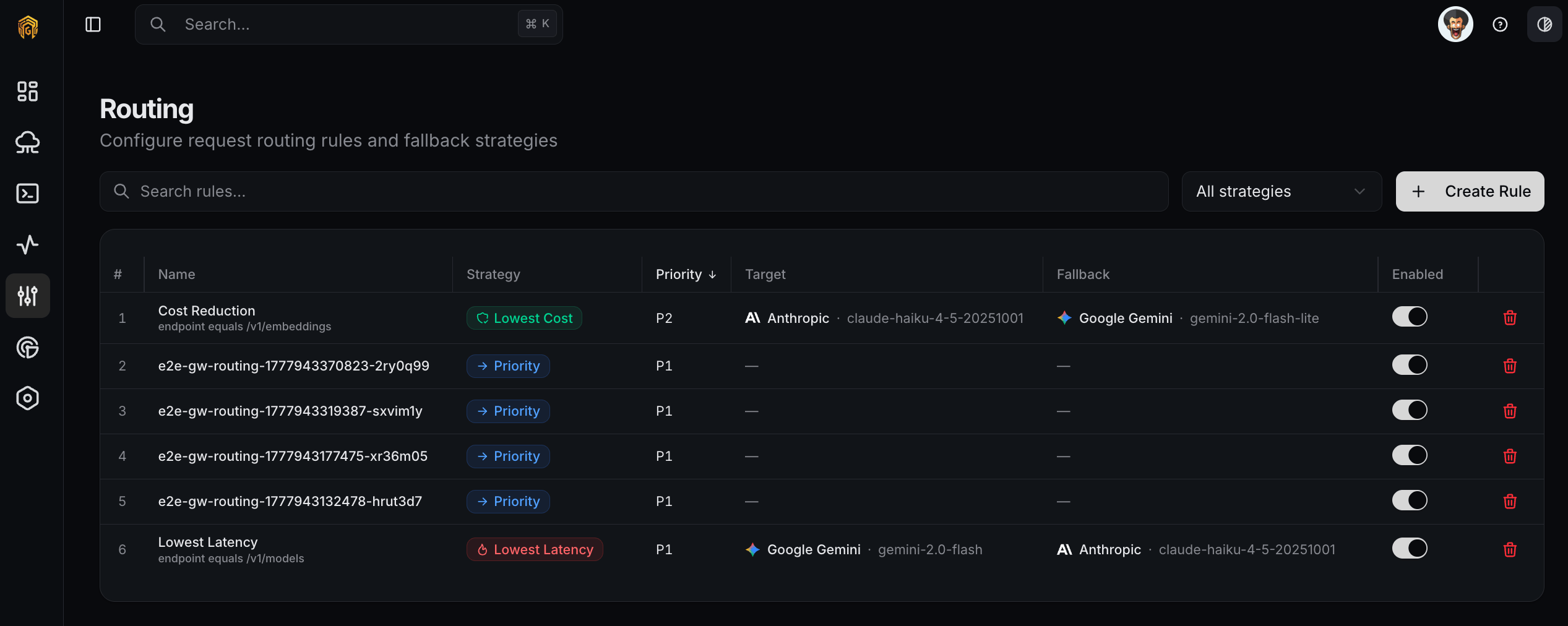
Routing rules list
1

Open Configuration → Routing

Open Configuration → Routing from the dashboard sidebar and click Create Routing Rule.
2

Name the rule and pick a strategy

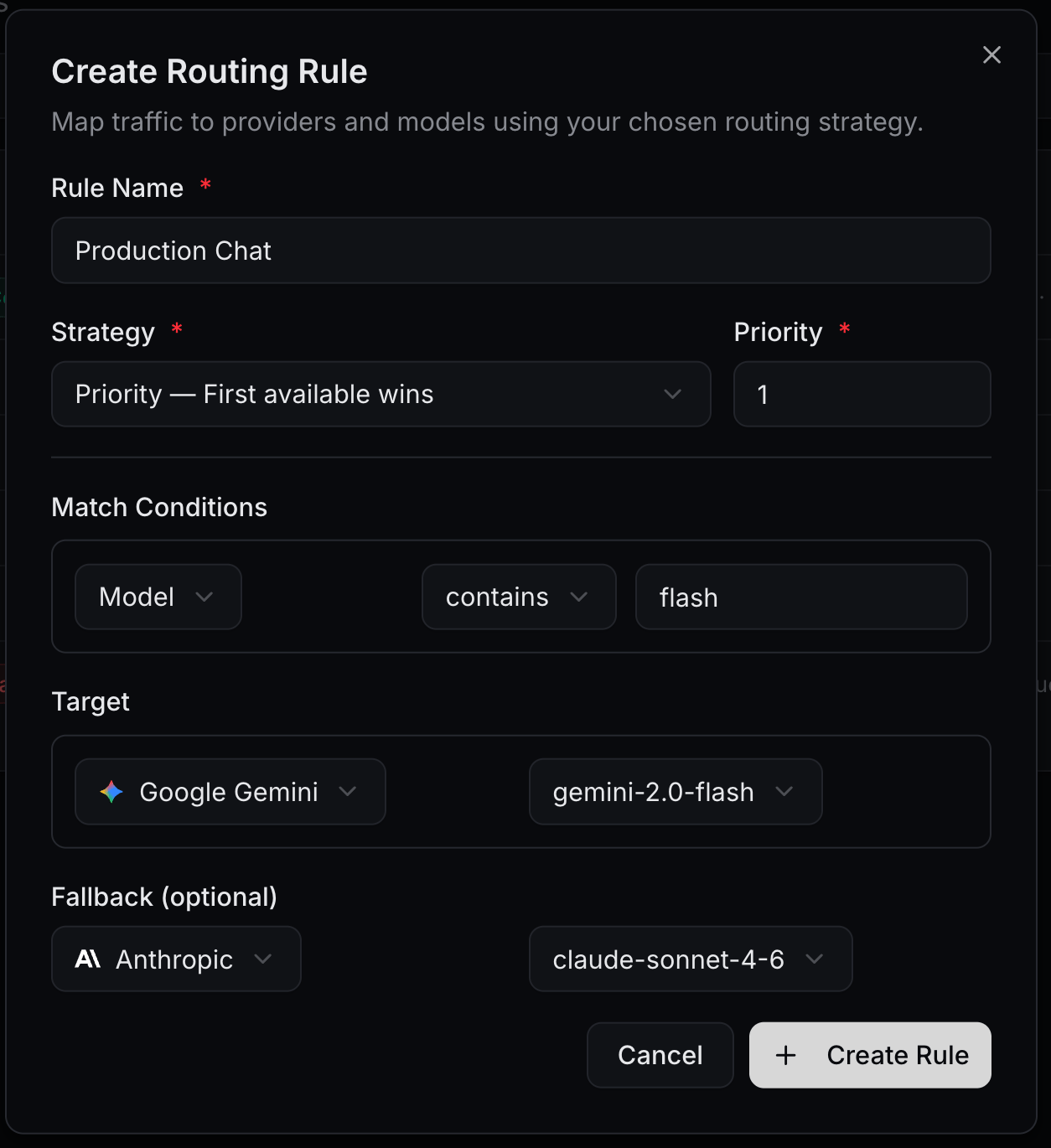
Set a Rule Name and pick a Strategy. Set a Priority; lower numbers evaluate first.
Create Routing Rule dialog
3

Add Match Conditions

Add one or more conditions. For example, Model contains flash to capture every Gemini Flash variant.
4

Set the Target

Pick a Provider, then either select a model from its enabled inventory or enter a model name. Optionally set a Fallback provider/model for when the primary fails.
5

Save and verify

Click Create Rule. The rule appears in the list. Send a request that matches the rule’s conditions and confirm the gateway routed it to the expected provider in Logs.

Example

Send every Gemini Flash request to Google Gemini, falling back to Anthropic if Gemini is unavailable:
FieldValue
Rule NameProduction Chat
StrategyPriority — First available wins
Priority1
Match ConditionModel contains flash
TargetGoogle Gemini / gemini-2.0-flash
FallbackAnthropic / claude-sonnet-4-6
  • Models — the model inventory each rule targets.
  • Providers — provider list and health.
  • Logs — verify which rule matched a given request.