

What this is for
Guardway keeps a per-gateway model inventory. Providers are scoped to a single gateway, so each(gateway, provider) pair tracks its own model list — useful when the same upstream service is configured on multiple gateways with different regions, entitlements, or local builds.
Use Configuration → Models to discover what each provider currently exposes on a given gateway and to toggle individual models on or off for routing and the playground.
Options
Sync behavior
- Manual sync — click Sync Models on a
(gateway, provider)row. The gateway calls the provider’s model-listing endpoint (or uses a static catalog for providers that don’t expose one), parses the result, and reports the inventory back to the dashboard. - Automatic sync — runs on gateway heartbeat. Manual sync is mostly for “I just rotated the key, pick up the new models now”.
Columns
How to configure
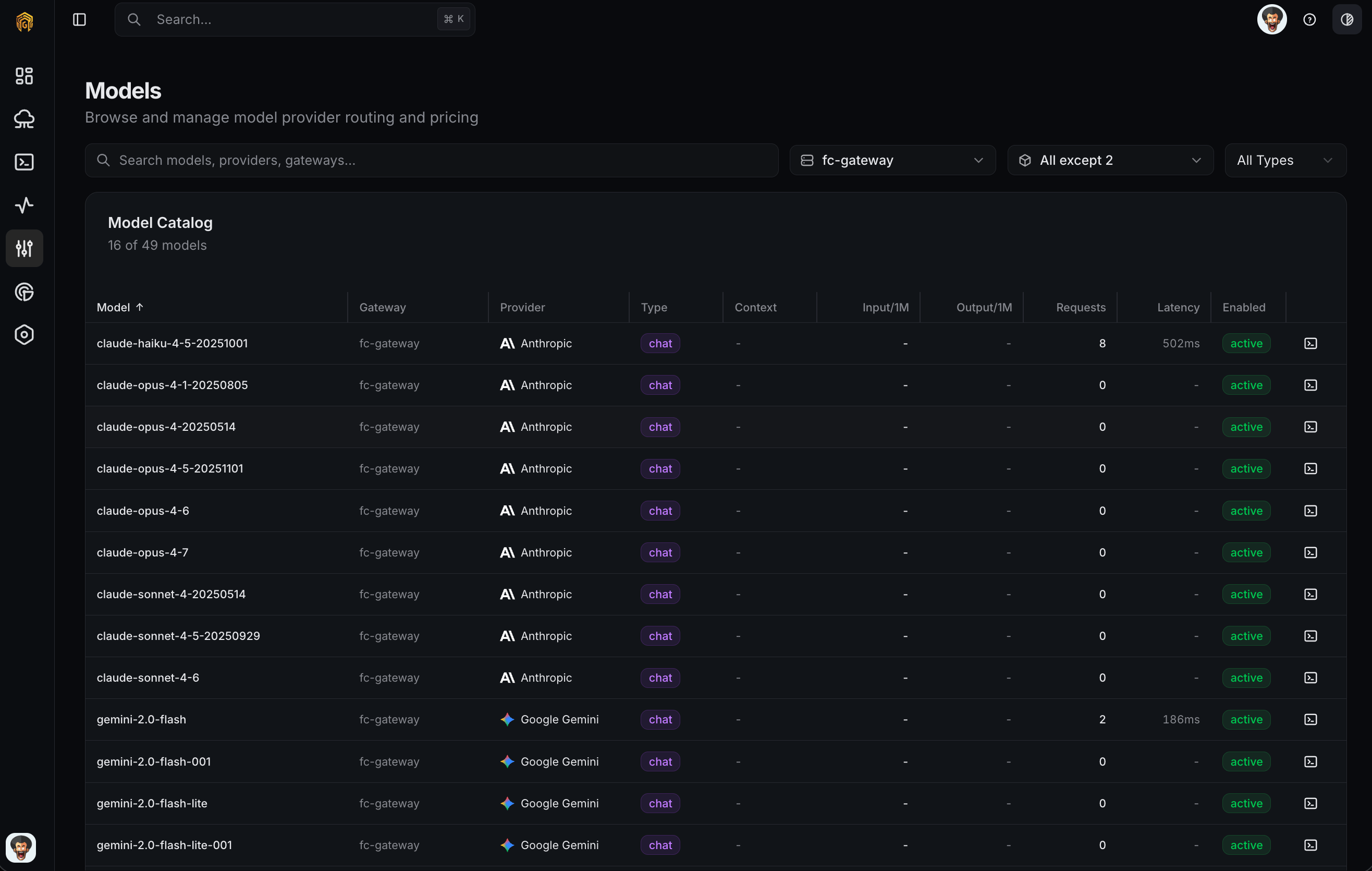
Models list
1
Open Configuration → Models
Open Configuration → Models from the dashboard sidebar. Each row groups by
(gateway, provider).2
Sync the inventory
Click Sync Models on the row(s) you want to refresh. Wait for the toast confirmation; the inventory populates within a few seconds.
3
Enable or disable models
Use the Enabled toggle on each model. Disabled models still appear in the table but are blocked at routing time and filtered out of the Playground.
4
Verify in Playground
Open Playground and confirm the enabled models are selectable. Send a test request to confirm the gateway can route to the model.
Related
- Providers — attach the provider before models can be synced.
- Routing — choose how requests fan out across enabled models.
- Playground — test an enabled model end-to-end.