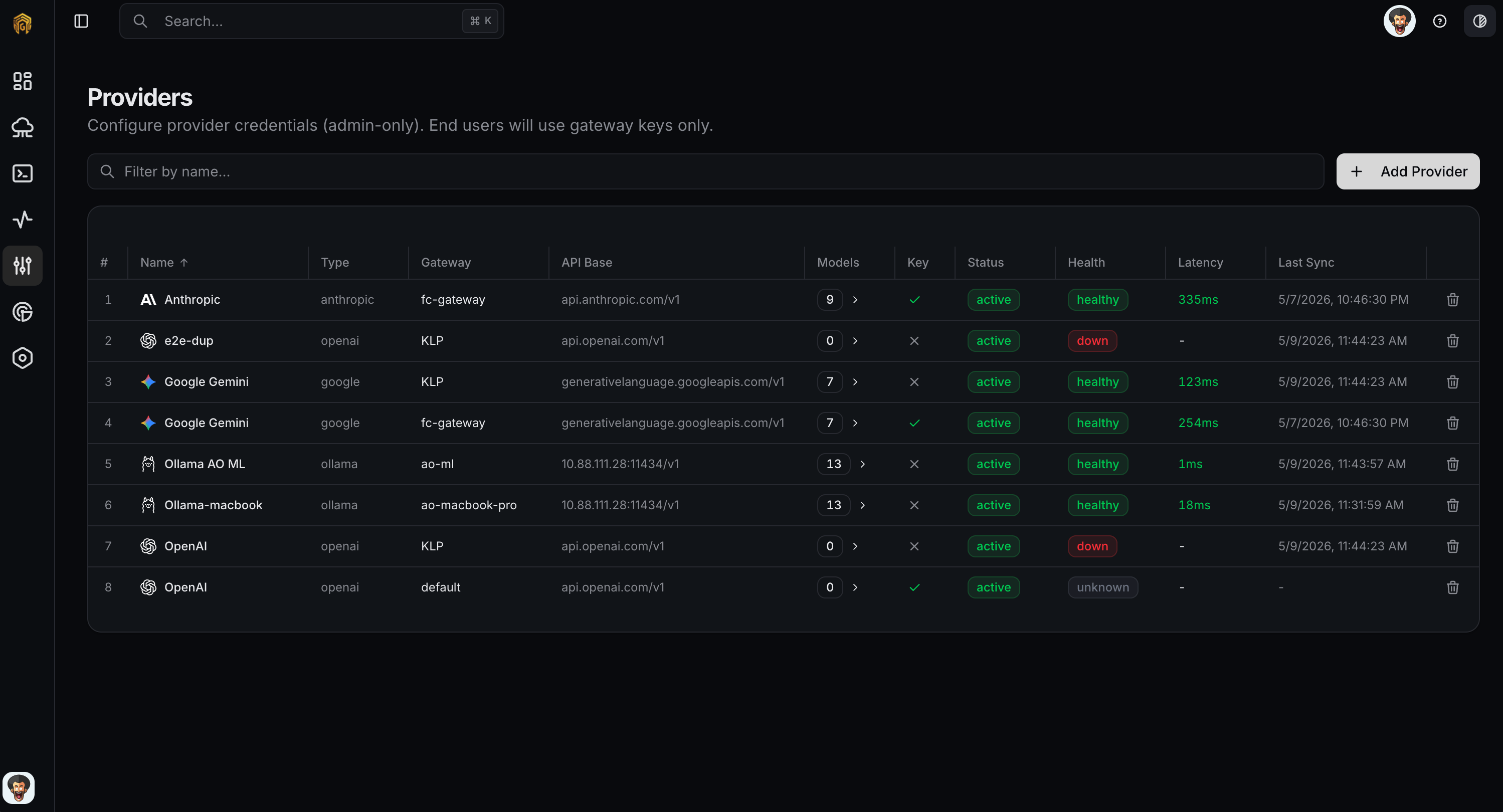
Providers are the upstream LLM services your gateway routes to (OpenAI, Anthropic, AWS Bedrock, Azure OpenAI, your own self-hosted vLLM, etc.). Each provider is scoped to a single gateway — that gateway holds its credentials and forwards requests to it. You can move a provider to a different gateway later from the provider edit dialog.Use this page to add a provider to a gateway and check that the gateway can reach it.
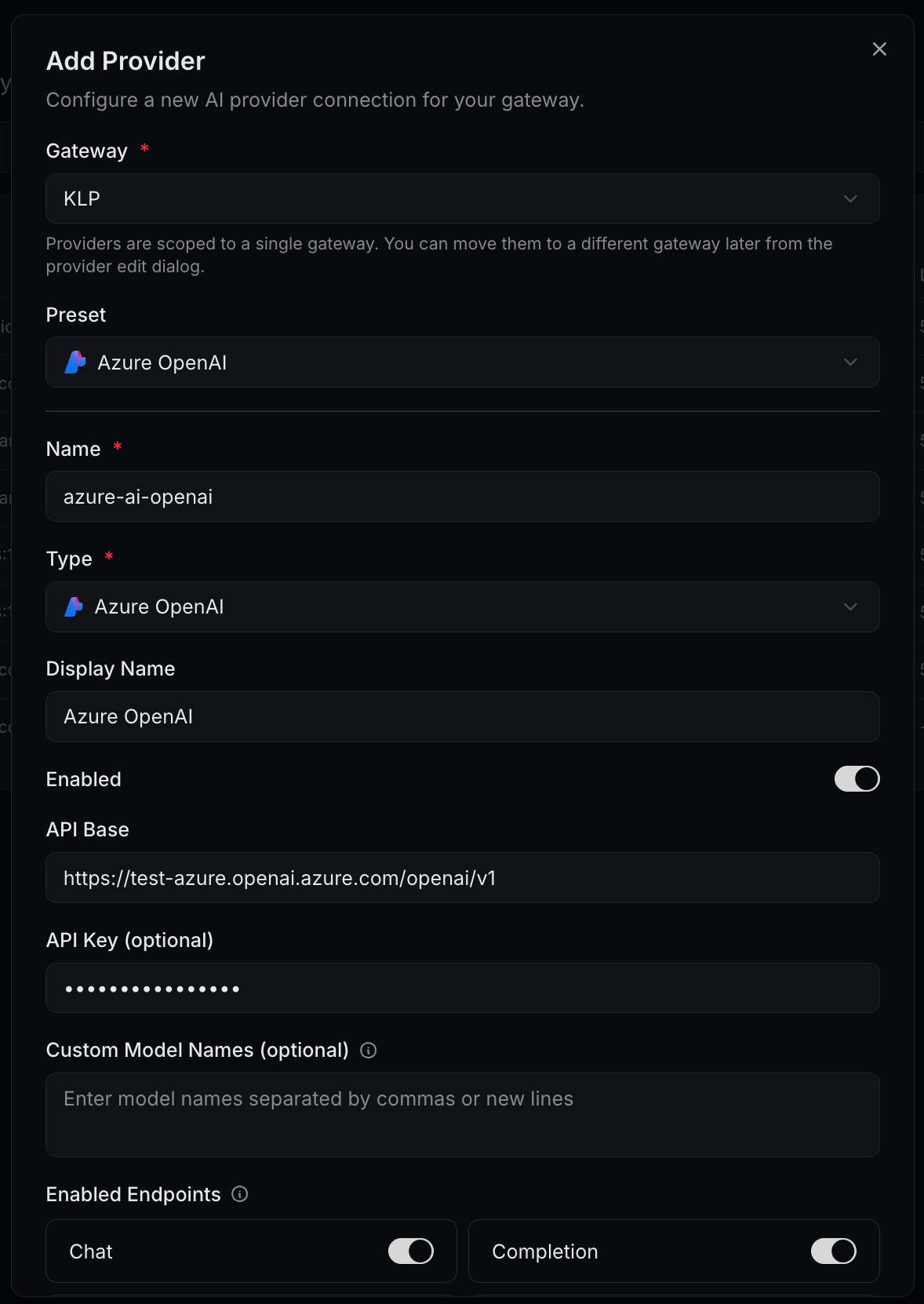
The gateway this provider belongs to. Each provider is scoped to exactly one gateway; move it later from the provider edit dialog.
Preset
No
Pick one to pre-fill Type, API Base, and any provider-specific quirks. Leave empty if you’ll configure manually.
Name
Yes
Internal identifier shown in routing rules and logs.
Type
Yes
Adapter to use. Defaults to OpenAI. Set automatically when you pick a preset.
Display Name
No
Friendly label shown in dashboards. Falls back to Name when empty.
Enabled
—
Toggle. Disable to stop routing to this provider without deleting it.
API Base
Usually
Base URL of the upstream endpoint (e.g. https://api.example.com/v1). Pre-filled by presets; editable for Custom and for regional endpoints (Azure, Bedrock).
API Key
Usually
The provider’s secret. Encrypted at rest and pushed only to the attached gateway. Optional for local presets (Ollama, LM Studio).
Custom Model Names
No
Comma-separated or newline-separated list of model identifiers to expose. Useful when a provider doesn’t return a discoverable model list.
Toggle which OpenAI-compatible endpoints this provider serves. Defaults: Chat, Completion, Embeddings on; Audio, Images, Moderation off. Disable any your account doesn’t pay for so routing rules skip it cleanly.
Open Configuration → Providers from the dashboard sidebar and click Add Provider.
2
Pick the gateway and preset
Select the Gateway this provider belongs to, then pick a Preset (or leave empty for a manual setup). The preset pre-fills Type and API Base.
Add Provider — top fields
3
Fill in the basics
Enter a Name, optionally a Display Name, paste the API Key, and override the API Base if your environment needs a regional or self-hosted URL. Add Custom Model Names when the provider can’t auto-discover its model list.
4
Pick the endpoints to enable
Under Enabled Endpoints, leave on only the modalities your account supports — Chat, Completion, Embeddings, Audio, Images, Moderation.
5
(Optional) Tune Advanced Settings
Expand Advanced Settings to set per-provider Rate Limits, Retry Configuration, Request Timeout, Custom Headers (JSON), Config (JSON) defaults, and a Health Check URL.
6
Save and verify health
Click Save Provider. The row appears in the list with health Unknown until the gateway runs its first health check; it then flips to healthy (or surfaces an error). If it stays unknown for more than a minute, check the gateway can reach the provider’s API Base from its network.