

Step 1 — Request access
Go to app.guardway.ai and enter your work email on the sign-in screen. If your email is new to Guardway, we’ll provision your account and send an invite.
Sign-in screen at app.guardway.ai
Step 2 — Open the invite email
You’ll receive an invite fromno-reply@guardway.ai. Click the Activate account link — it redirects you to the dashboard with a one-time token.

Activation email
Step 3 — Set your password
The activation link lands you on a Create a password screen. Pick a strong password (we recommend a password manager) and confirm.
Password creation
Step 4 — Land on the dashboard
After confirming, you’re signed in and redirected to the Overview page. You’ll see empty KPI cards (requests, providers, latency, tokens, spend, uptime) waiting for your first gateway.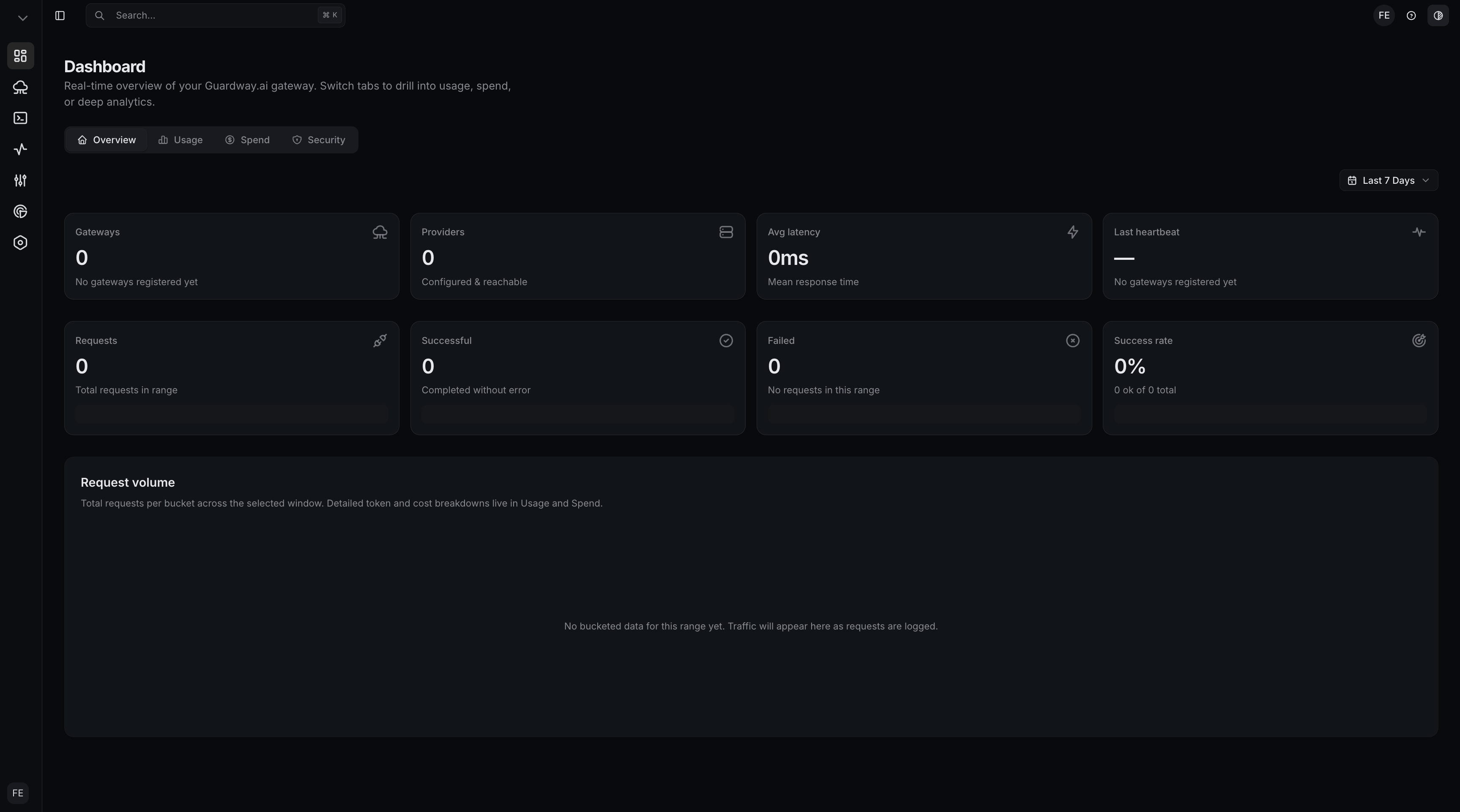
Dashboard Overview, first visit
What happens under the hood
- Your account is created in Guardway’s Supabase project.
- An organization is created automatically and you become its first owner.
- The dashboard’s middleware refreshes your session on every request; there’s nothing to configure for auth.