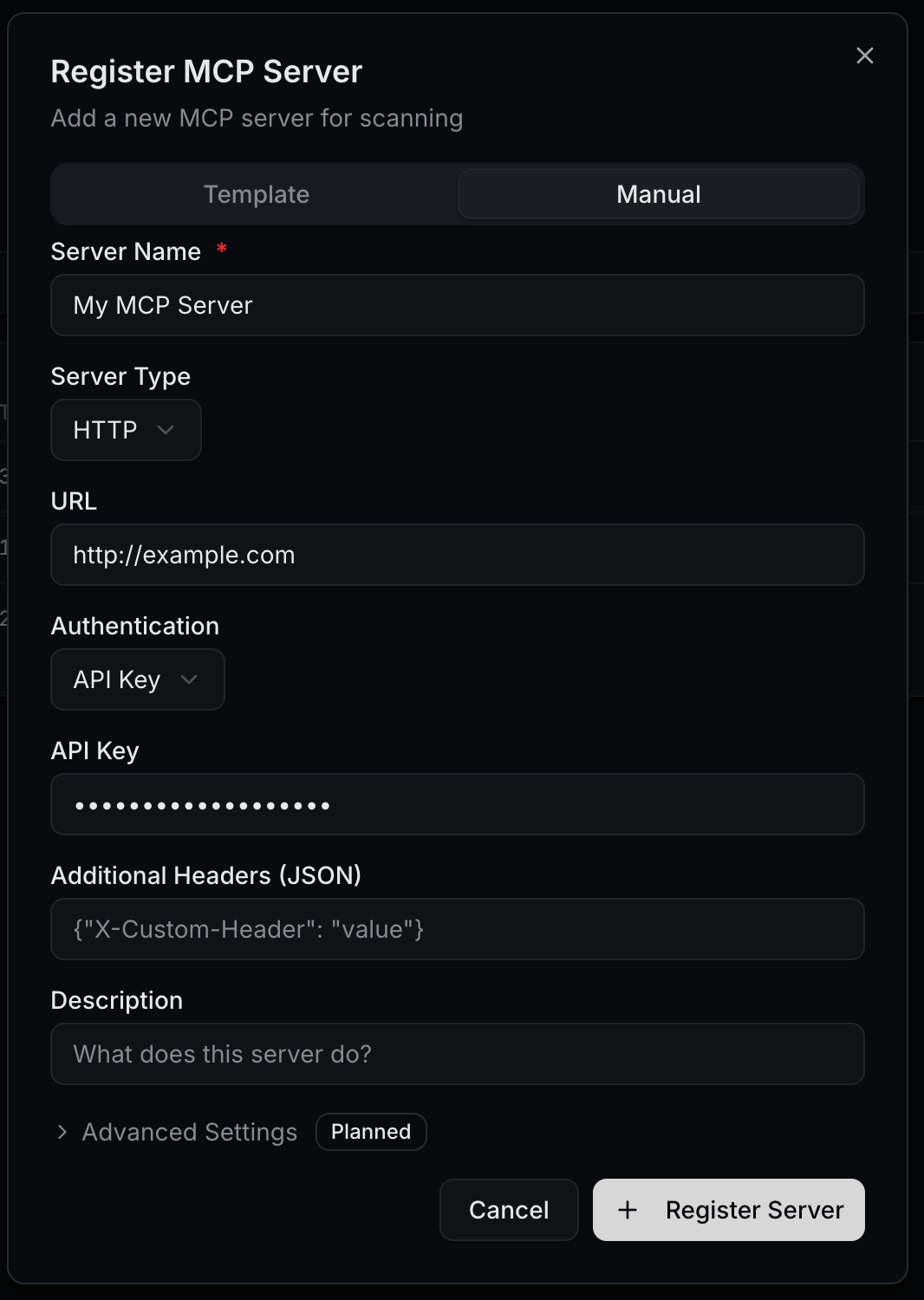
Configuration → MCP is where you register the Model Context Protocol servers your gateway exposes to AI clients such as Claude or VS Code / GitHub Copilot. Clients connect to the gateway instead of connecting to each MCP server directly. The gateway holds the upstream credentials, runs guardrails on tool calls, and logs every call.You don’t need an LLM provider to use it. An API key can be MCP-only: switch every provider off on the key and keep MCP enabled on. The key then reaches only MCP servers, and every LLM endpoint refuses it with 403 llm_access_disabled. That way the gateway serves as a single, governed front door to your internal MCP servers.
Register MCP server is a two-step dialog.Connection
Field
Notes
Select Template
Autofills a known integration. Leave it empty to configure manually.
Server Name
Display name (e.g. My MCP Server). Required.
Transport
STDIO, HTTP, or SSE.
Gateways
The server is delivered to all gateways in your organization.
Command / Arguments (comma-separated)
STDIO only (e.g. npx).
URL
HTTP / SSE only — the upstream server endpoint.
Auth
Field
Notes
Authentication
None, API Key, Bearer Token, Basic Auth, OAuth2 (client credentials), or OAuth sign-in (e.g. GitHub). Leave it as None for public servers or local development.
Header name
API Key only. X-API-Key, api-key, Ocp-Apim-Subscription-Key, or a custom header.
Client certificate (mTLS)
Optional client certificate and private key (PEM), plus an optional server CA certificate and server name, for upstreams that require mutual TLS or use a private CA.
Additional Headers (JSON)
Extra headers sent to the upstream on every request.
Description
Free-form notes.
Upstream credentials stay on the gateway. Clients only ever send their Guardway API key.
After a server is registered, the gateway discovers its tools automatically. Open the server and use Discover Tools in the Tools section to refresh the list. Turning a tool off in the Allow column hides it from every key.
The gateway serves MCP on two kinds of URL. Both authenticate with an API key from API Keys, sent as Authorization: Bearer <key>.
URL
What the client sees
<gateway URL>/mcp/<server>
One registered server. The server’s edit panel shows this URL and ready-made client snippets under Client Configuration.
<gateway URL>/mcp
Every server the key may use, combined into one MCP server. Each tool name is prefixed with its server’s slug: <server-slug>__<tool>, for example crm__read_data. The slug is the last part of the server’s own URL.
Use the combined URL when a team should get tools from several MCP servers through a single connection.
tools/list, tools/call, prompts/list, prompts/get, resources/list, resources/read, initialize and ping are supported. Prompts are prefixed like tools; resources keep their URIs. For any other MCP method, connect to the server’s own URL.
One slow or unreachable server does not fail the list: the gateway returns what the other servers answered. Each server has 25 seconds to answer (GUARDWAY_MCP_AGGREGATE_UPSTREAM_TIMEOUT_SECONDS).
The separator between slug and tool is __. To use another, set GUARDWAY_MCP_AGGREGATE_SEPARATOR on the gateway; every client then uses the new names.
A GET on <gateway URL>/mcp lists the servers the key may use, with each one’s slug, status, tool count and own URL.
After changing which tools a key can use, restart or reconnect MCP in the client so it fetches the new tool list.
MCP-only keys (every provider off, MCP on) are refused on every LLM endpoint by gateway v0.5.40 and later. Older gateways refuse them on the main inference endpoints only.
The API key a client connects with decides which servers and tools it sees. Tools a key may not use are left out of the tool list, and calls to them are refused.For example, two MCP servers:
CRM has read_data and write_db.
Blog has read_posts and publish_post.
Team
Should get
HR
CRM read_data, Blog read_posts and publish_post
Sales
CRM read_data and Blog read_posts only
There are two ways to set this up. Both can be combined, and a tool is available only when every rule that applies allows it.
Per API key
Per application
Best when each team has one key.
1
Create a key per team
Open Configuration → API Keys and create a key for each team (e.g. hr-mcp, sales-mcp). Only the name is required. To make it MCP-only, switch every provider off on the Access step and leave MCP enabled on.
2
Scope the key's MCP access
In the key’s MCP settings, keep MCP enabled on and set MCP access mode to Allow list.
3
Switch on the tools the team may use
Expand each server and switch on only the team’s tools: for sales-mcp, read_data under CRM and read_posts under Blog. Servers with at least one switched-on tool are added to the key’s allowed servers.
4
Connect the client
Give each team the combined /mcp URL and its own key.
Per-tool switches on a key are enforced by gateway v0.5.39 and later. On older gateways, use an application policy (next tab) for tool-level rules.
Best when a team or agent uses several keys, or when you want one place to manage its rules.
1
Register the application
Open Security → Apps, click New application, and enter a Name (e.g. HR) and Slug.
2
Bind the keys
In Configuration → API Keys, set each of the team’s keys’ Application field to that application. Requests made with those keys inherit the application’s policy.
3
Write the policy
Open Security → Policy, click New policy, and set Application scope to the application. In the MCP tools section, set MCP tool calls to On: allow MCP (subject to rules) and add Tool rules: one row per server with its Allow tools (e.g. server CRM, allow read_data). Use * as the server to apply a rule to every server. A deny always wins, and a non-empty allow list is exclusive.
4
Save
Click Save & apply. The policy reaches live traffic within about a minute.
An application policy can only narrow what a key already allows.
A call to a tool the key may not use is refused with HTTP 403 and {"error": "tool not permitted by policy"}. The refusal is recorded in the gateway’s audit log, which is stored locally on the gateway, and fires the MCP Tool Denied (mcp.tool_denied) webhook event.Tool calls made through the gateway, on either URL, show up in Logs → MCP.