

What this is for
Dashboard → Usage aggregates request and token telemetry from every attached gateway into one view. Use it to find which apps drive the most traffic, compare provider/model behavior over time, and inform routing or quota decisions. For cost, see the sibling Spend tab. For guardrail analytics, see Security.Options
Time range
Same dropdown that drives Overview:Last Hour, Last 24 Hours, Last 7 Days, Last 30 Days.
Filters
- Gateway — multi-select; leave empty for all.
- Provider — multi-select.
- API Key — multi-select.
Breakdowns
Each view shows requests, prompt tokens, completion tokens, total tokens, and p50 / p95 latency over the selected time range.
How to configure
This is a read-only analytics view — no configuration on the page itself.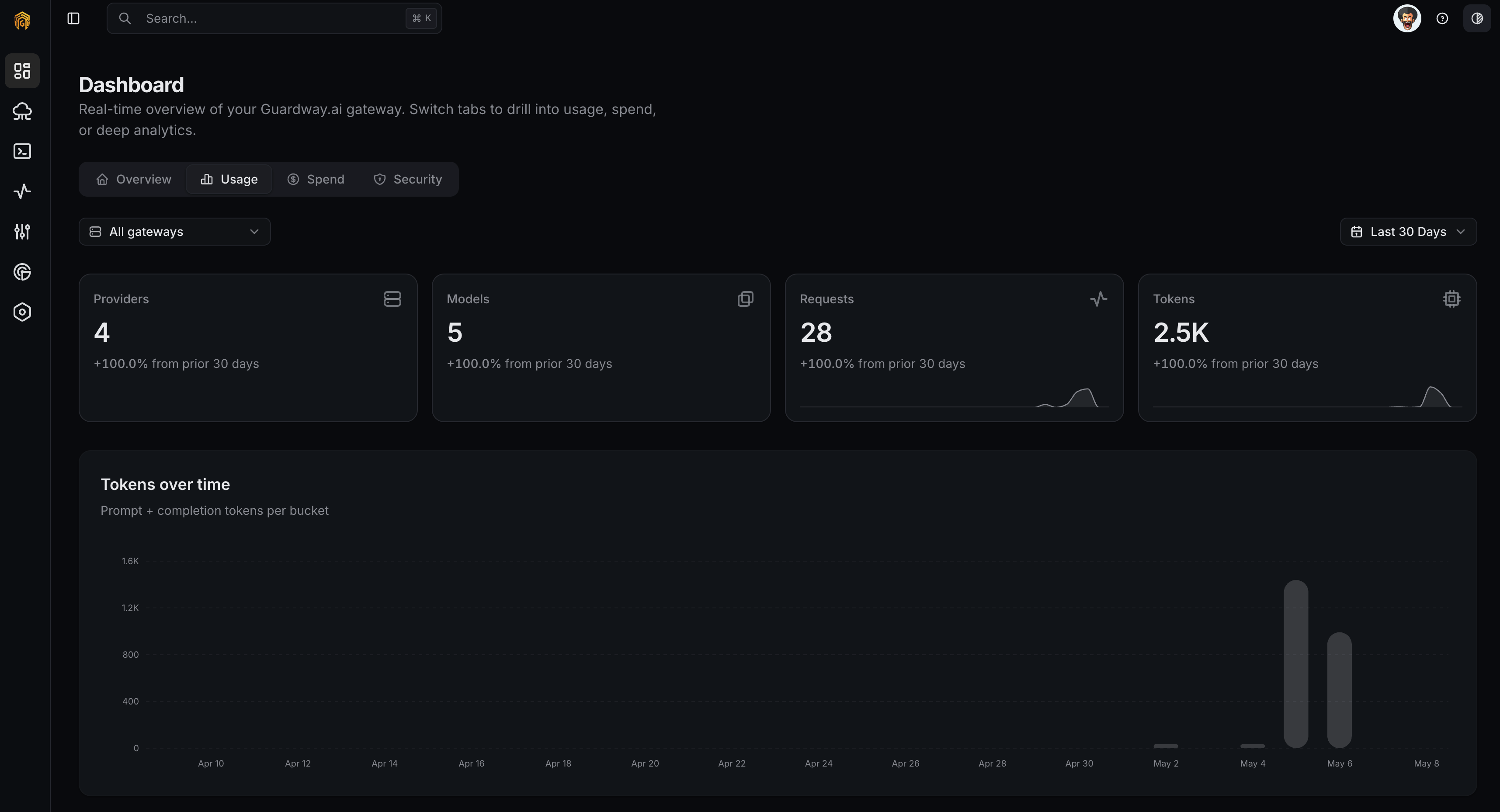
Dashboard → Usage
1
Open Dashboard → Usage
Open Dashboard → Overview from the dashboard sidebar and click the Usage tab.
2
Pick a window
Set the Time range dropdown.
3
Filter and pivot
Add Gateway, Provider, or API Key filters. Switch the Group by selector between gateway, team, API key, provider, and model.
4
Export
Click Export to download the current filter as CSV or JSON. Useful for showback systems and finance.
What this view does not show
Raw prompts and completions stay on the gateway. To inspect them, open Logs while connected to that gateway. Administrative actions are recorded centrally on the Audit log.Related
- Spend — cost view of the same telemetry.
- Logs — request-level drill-in.
- Notifications — alert when usage crosses a threshold.