

What this is for
Dashboard → Overview is the first page you see after signing in. It rolls up traffic, latency, errors, and gateway health into a single summary so you can spot regressions across all your gateways without drilling into individual pages. Use it as the daily-driver page for “is everything working” and as the jump-off into Usage, Spend, and Security for deeper analysis.Options
Time range
A single dropdown applies to every chart on the page:- Last Hour
- Last 24 Hours
- Last 7 Days
- Last 30 Days
Stat blocks
Top row summarizes the selected window with the headline number, a comparison vs. the previous window, and a sparkline:Charts
- Requests over time — bucketed by the selected range.
- Latency over time — p50 and p95 lines.
- Top providers / models — bar chart of which providers and models drove the volume.
How to configure
There is no configuration on this page — it reads from the same telemetry as Usage, Spend, and Security.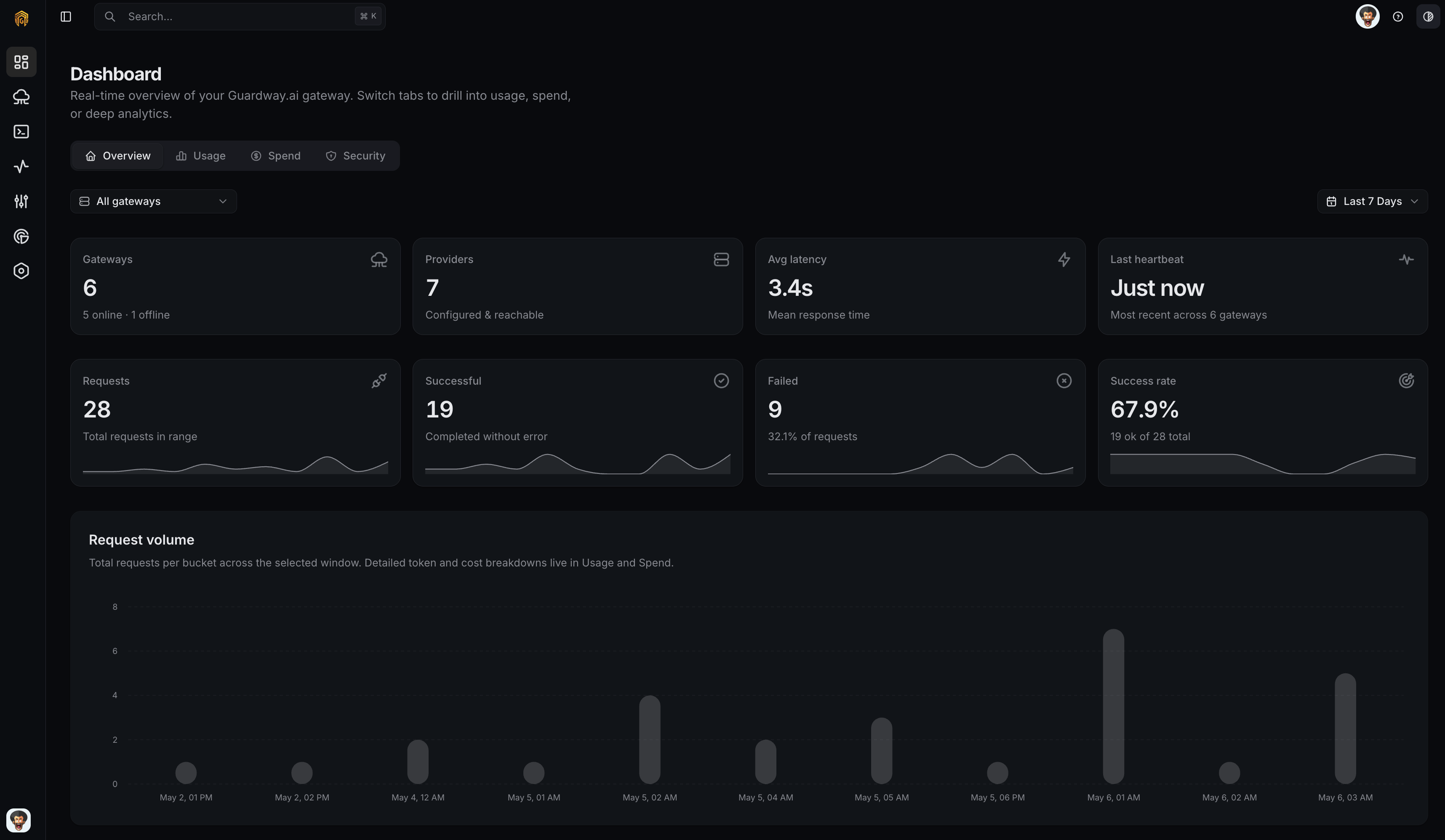
Dashboard → Overview
1
Open the Overview tab
Open Dashboard → Overview from the dashboard sidebar.
2
Pick a time range
Use the Time range dropdown. Comparisons and sparklines update for the new window.